Ready for cleaner data and smarter choices? This simple guide shows how amplitude ab testing helps you run clear, fair experiments and make better product calls. With the right setup, you can learn faster, waste less traffic, and ship with confidence. We will keep it easy, friendly, and very practical.
This guide is for product managers, growth teams, designers, data folks, and founders who want trustworthy results. Whether you run small trials or big launches, amplitude ab testing can fit your workflow. You will see how to plan tests, avoid common traps, and read results the right way. By the end, you will know the steps to get accurate data and steady wins.
What Is amplitude ab testing?
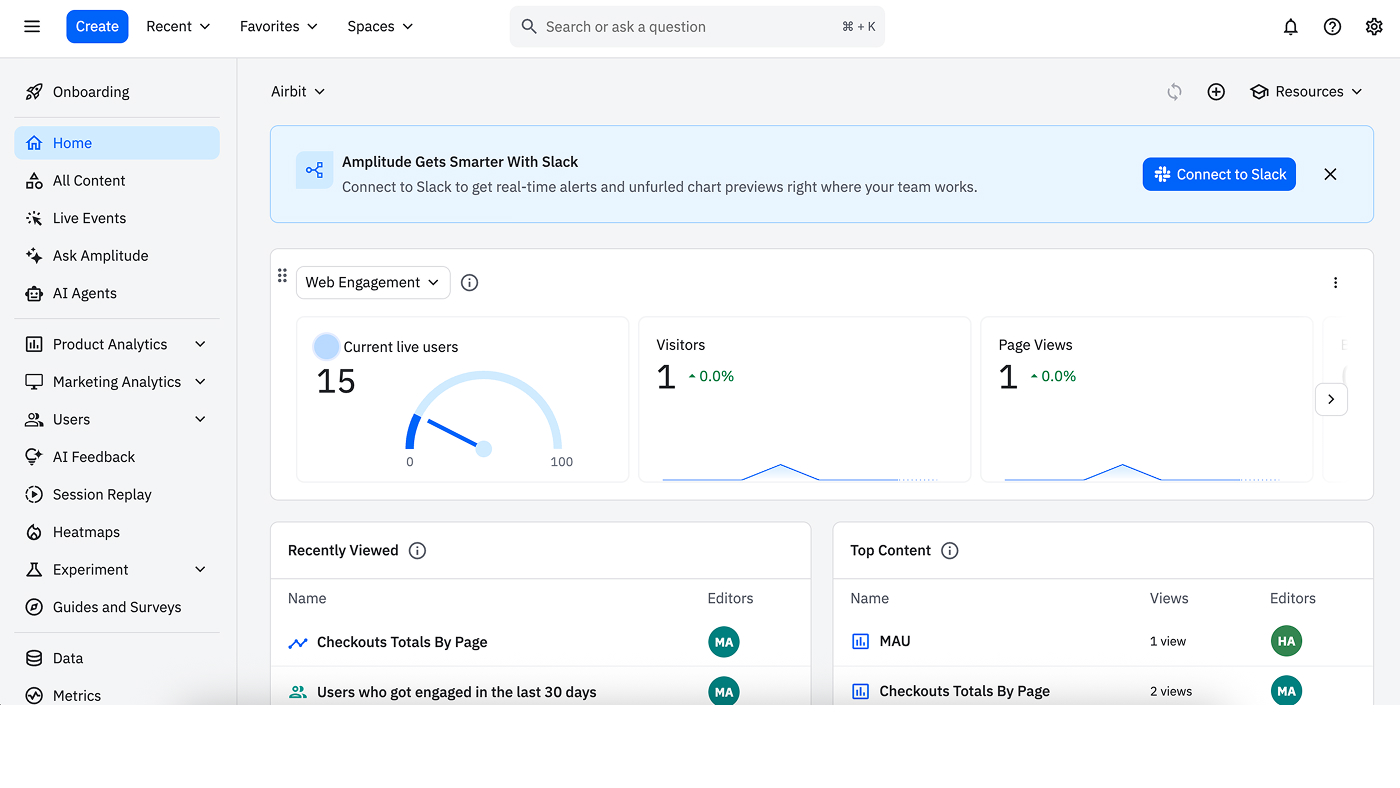
Amplitude ab testing is a way to compare two or more versions of a page, flow, or feature. You show version A to some users and version B to others. Then you measure which one works better. Amplitude helps you track events, build cohorts, and read results in one place. That makes it easier to move from idea to insight.
Here are key ideas in simple words:
- Variants: These are your versions. For example, old button vs new button.
- Exposure: This is when a user is put into a variant. You should log this once.
- Conversion: This is the action you care about, like sign-up or purchase.
- Cohorts: These are groups of users who share a trait, like new users or users on iOS.
- Guardrail metrics: These are safety checks, like error rate or revenue, so a “win” does not hurt the business elsewhere.
If you want richer context during analysis, pair experiments with UX testing for quick user feedback. When you combine human stories with amplitude ab testing numbers, you see both what users do and why they do it. That blend makes every decision stronger.
Why Data Accuracy Matters in amplitude ab testing
Bad data leads to bad choices. If your tracking is messy or your test is too short, you can pick the wrong winner. That hurts the roadmap and the customer experience. It can also lead to extra rollbacks and slow learning.
Clean, accurate amplitude ab testing brings better outcomes:
- Faster learning cycles with fewer surprises and fewer rollbacks.
- Stronger confidence in launches, because results are real, not noise.
- Clear insights you can share with design, engineering, and marketing.
- Less waste of traffic and time.
When you need a quick gut check on behavior, simple sessions of usability testing can explain odd trends you see in the charts. Together, these views help you pick better variants and reduce risk.
Prerequisites and Setup
Before you launch, set a strong base. Good prep makes amplitude ab testing smooth and safe.
- Tracking plan: List your events and properties. Use names that are clear and simple. Note versions when you change tracking so history stays clean. If you want extra help to define standards and spot gaps, many teams call in ux audit services for a fast assessment.
- Identity resolution: Decide how you track users across devices. Use a stable user ID after login and handle device ID when logged out. Keep cross-platform rules the same so data stays tidy.
- Feature flags: Use flags to turn variants on and off. Log the exposure event once when a user is placed in a group. If your product has many states, bringing in targeted ux design services can simplify the UI so flag logic stays clean and testable.
- Data QA and monitoring: Test in staging first. Send sample events. Check schema, property types, and event freshness. Set alerts for ingestion delays or spikes. Strong prep keeps amplitude ab testing healthy when real users arrive.
9 Best Practices for Accurate Data
1. Start With a North-Star Metric and Clear Hypotheses for amplitude ab testing
Before you run a test, pick one main metric. This is your north star. It could be activation rate, checkout completion, or day-7 retention. Write a short hypothesis: “If we make X change, Y metric will improve because Z reason.”
- Tie the test to product and revenue goals.
- Add guardrail metrics to protect user experience and profit.
- Keep the story short and clear so everyone understands.
Use feedback you hear in discovery and what you see in the funnel to frame the problem. A focused hypothesis keeps amplitude ab testing honest and sharp.
2. Build a Robust Tracking Plan and Validate Instrumentation for amplitude ab testing
Your data is only as good as your tracking. Document every event you plan to use. List required properties, like plan type, device, or geo. Keep names short and consistent.
- Test your events in a staging app.
- Use a test cohort to click through flows and check that events fire once.
- Verify exposure and conversion events show up in real time.
Good tracking turns messy guesses into clear answers. It makes amplitude ab testing easier to run every week.
3. Size Samples and Set Power Upfront for amplitude ab testing
A tiny test cannot prove much. Estimate how big a lift you expect, like 3% or 5%. Then size your sample so you have enough power to detect that lift.
- Define your minimum detectable effect and desired power.
- Set a minimum duration to cover weekdays and weekends.
- Lock your stop rules so you do not end the test too soon.
Right-sized tests protect you from false wins and false fails. That means stronger calls and fewer rollbacks after amplitude ab testing launches.
4. Ensure Proper Randomization and Stable Bucketing for amplitude ab testing
Randomization splits users fairly. Stable bucketing keeps each user in the same variant across sessions.
- Choose the right unit: user-level for consumer apps, account-level for B2B.
- Emit exposure once per user or account.
- Manage holdouts if you want to measure long-term lift.
Fair splits and stable buckets reduce bias. They keep amplitude ab testing results clean and repeatable.
5. Protect Data Quality With Guardrail Metrics for amplitude ab testing
A new variant may lift conversion but hurt something else. Guardrails catch that.
- Track latency, error rate, and crash rate for tech health.
- Watch churn, refunds, and revenue for business health.
- Add simple polls or tasks with ux testing tools to watch for friction while the test runs.
If a guardrail turns red, pause or roll back fast. Guardrails make amplitude ab testing safer for users and the business.
6. Avoid Peeking and P-Hacking for amplitude ab testing
Peeking means checking results too often and stopping early when they look good. That can trick you.


- Predefine your stop rules and stick to them.
- Use a fixed analysis window to avoid cherry-picking.
- Track data freshness and event coverage without calling a winner early.
With clear rules, amplitude ab testing stays fair. Your wins will hold up in the wild, not just on a chart.
7. Segment Thoughtfully With Cohorts for amplitude ab testing
Not all users act the same. Segments help you see where the lift comes from.
- Compare new vs returning users, plan types, geos, and devices.
- Keep segments simple and decide them before the test.
- Look for patterns, then confirm with another test when needed.
If you need outside help choosing segments or building panels, specialized ux testing services can set up quick studies that guide your next test design.
8. Control for Outliers, Bots, and Novelty Effects for amplitude ab testing
Weird traffic can skew results. New features can also look good at first, then fade.
- Filter bot-like traffic and suspicious spikes.
- Cap extreme values so one super-user does not warp the mean.
- Allow time for the “new toy” effect to settle before you pick a winner.
These steps make amplitude ab testing more robust in the real world. They protect your call from noise.
9. Document Decisions and Share Learnings for amplitude ab testing
Write down your hypothesis, setup, dates, metrics, and outcome. Note what you will do next. Save this in a shared library.
- Use a simple template for every experiment.
- Tag tests by area, metric, and audience.
- Share wins and misses so the whole team learns.
If your library needs design polish or better navigation, you can hire ui ux designers to make the system easy to use. Good design keeps amplitude ab testing knowledge flowing.
Step-by-Step Workflow
Plan
- Define the hypothesis, north-star metric, guardrails, and risk.
- Pick your unit of randomization and main cohorts.
- Confirm sample size and test window.
- Align teams: product, design, data, and engineering.
Launch
- Roll out feature flags and double-check exposure.
- Verify events and properties flow into Amplitude.
- Run quick UAT with a test cohort to ensure accuracy.
Monitor
- Watch guardrails, event volume, and data freshness.
- Do not peek at outcomes. Just ensure the test is healthy.
- If users struggle, run short checks with ux audit to find broken steps fast.
Analyze
- When the window ends, check sample balance and exposure counts.
- Look at the main metric first, then guardrails, then segments.
- Run simple sensitivity checks to see if the story holds.
Decide
- If the variant wins and guardrails are safe, ship it.
- If results are flat, consider better targeting or a clearer design.
- If the variant hurts key metrics, roll back fast.
- Log the outcome and update the roadmap.
This workflow turns chaos into a clear playbook. It helps teams run amplitude ab testing week after week without drama.
Common Pitfalls and Quick Fixes
- Inconsistent identities: Users show up twice if device ID and user ID are not linked. Fix by unifying IDs after login and testing cross-platform flows. A small identity review during a sprint can save a whole test.
- Variant leakage: Caching or URL parameters can expose the wrong variant. Fix by setting flags before UI loads and avoiding variant state in URLs.
- Short test windows: Seasonality can fool you. Fix by covering at least one full cycle, including weekends or monthly patterns.
- Test interference: Many tests at once can clash. Fix by isolating tests or checking for interactions in analysis.
These quick fixes keep amplitude ab testing steady and help you trust every result.
Metrics and Dashboards to Track
Set up dashboards that tell a clear story:
- Primary conversion: signup, add-to-cart, start trial, or purchase.
- Funnel steps: from visit to action, with drop-off rates.
- Guardrails: latency, crash rate, error rate, churn, retention, and revenue.
- Experiment health: exposure counts, sample balance, event coverage, and data freshness.
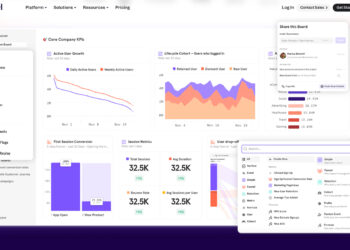
Use simple charts first. Add segments for new vs returning users, plan tiers, and platforms. Mix these with feedback from discovery work to see both behavior and sentiment. When your dashboards are tidy, amplitude ab testing becomes easier to run every sprint.
Advanced Tips for amplitude ab testing
- Use holdout cohorts: Keep a small group with no changes to measure true lift over time. Holdouts help you see long-term effects beyond the first week.
- Layer exploratory analysis: After you make the main call, dig deeper to find new ideas for the next test. Look for patterns by platform, plan, and device.
- Standardize templates: Reuse the same brief, tracking plan, and dashboard layout for every test so teams move fast and avoid mistakes.
- Pair quant and qual: When numbers confuse you, short studies can reveal the “why” behind a chart. This blend sharpens amplitude ab testing and points to stronger variants.
- Invest in review rituals: Run a weekly experiment review to pick new ideas, close stale tests, and celebrate wins. Over time, a steady rhythm makes your program durable.
FAQs
How long should a test run?
Run the test until you reach the planned sample size and hit your minimum time window. Make sure you cover different days in the week. This helps smooth out daily or seasonal bumps. In amplitude ab testing, do not stop early just because the chart looks good. Wait until your rules say it is time.
What if results are inconclusive?
If the result is unclear, check your tracking and sample size first. Maybe the effect was too small or the test was too short. You can tighten your audience, improve the design, or run a follow-up. In amplitude ab testing, flat results still teach you what not to build, which saves time.
Can multiple tests run at once?
Yes, you can run more than one test if you plan well. Isolate audiences or features so the tests do not clash. In analysis, look for interactions. If things overlap, rerun a focused test. This keeps amplitude ab testing clean and fair.
Conclusion and Next Steps
You now have a simple, strong path to accurate data: set a clear goal, track cleanly, size your test, randomize well, protect with guardrails, avoid peeking, segment with care, control outliers, and document every decision. Follow the workflow to plan, launch, monitor, analyze, and decide with confidence. Pair the numbers with steady habits, and you will build a culture of learning.
Ready to level up your program? Standardize amplitude ab testing with shared templates, steady dashboards, and a central experiment library. Start your next test today, learn faster, and ship great experiences with confidence.