Ever wonder why some brands just “get” their customers? It’s not magic, it’s strategy. These businesses know their users inside and out because they use a User Journey Map. In today’s digital world, understanding how your customers think, feel, and act is the secret to success.
A User Journey Map helps you see every step your customers take, from discovering your brand to becoming loyal fans. It’s like walking a mile in their shoes. When businesses study real examples of journey maps, they learn what works, improve their UX (user experience), and turn happy users into paying customers.
What Is a User Journey Map?
A User Journey Map is a visual story of how users interact with your brand. It shows what they do, what they want, and how they feel at every stage of their experience. Think of it like a treasure map, but the treasure is understanding your customer.
Key elements of a User Journey Map
- User Goals: What your users want to achieve
- Touchpoints: Where users connect with your business (website, app, ads, etc.)
- Emotions: How users feel during each step, confused, excited, frustrated, or delighted
- Pain Points: Challenges or problems that stop users from having a smooth experience
When these elements come together, your User Journey Map gives your team a complete view of your user’s world. It helps identify problems before they grow and ensures your design, marketing, and product teams work in sync.
Why User Journey Maps Matter for Business Success
A User Journey Map is not just a chart, it’s a window into your customer’s mind. It helps businesses uncover how users really behave, not just how we think they behave.
Here’s why mapping matters so much:
- Reveals real‑life insights. You see the actual steps users take and what confuses them.
- Improves customer satisfaction. You can fix pain points before they frustrate your audience.
- Boosts loyalty and retention. When experiences flow smoothly, customers stay longer and spend more.
- Supports better design decisions. UX teams can design based on data and empathy rather than guesses.
With every updated User Journey Map, your product gets stronger, your team gets smarter, and your users get happier.
7 Inspiring Examples of a Powerful User Journey Map
Let’s explore seven true‑to‑life examples that show just how powerful a User Journey Map can be.
1. E‑commerce Brand Enhancing Checkout Experience
One big online store noticed shoppers were dropping carts right before checkout. Their User Journey Map showed that users found the form long and confusing. The brand simplified the checkout into three quick steps, items, shipping, payment. Shoppers loved it, and conversions jumped 25%.
2. SaaS Company Refining Onboarding Flow
A software company wanted to help new users get started faster. Their User Journey Map showed that many people got stuck during setup. The fix? They added helpful pop‑ups, a welcome video, and live chat help. The onboarding success rate soared, and users felt confident from day one.
3. Healthcare App Simplifying Patient Scheduling
A health‑care startup mapped how patients booked appointments. The User Journey Map exposed major frustration, patients couldn’t easily find specialists or available slots. After redesigning the app with guided steps and reminders, satisfaction ratings doubled, and no‑shows dropped dramatically.
4. Banking Platform Building a Seamless Mobile Experience
A bank realized that customers using mobile apps struggled to find certain features available on the desktop site. Their User Journey Map highlighted these missing touchpoints. By syncing the desktop and mobile designs, they created a consistent, trusted experience that boosted app ratings and customer confidence.
5. Travel Company Designing a Personalized Booking Path
A travel website used a User Journey Map to understand what travelers valued most, price, comfort, or adventure. They added personalization features: “Best Deals for You,” trip recommendations, and easy filters. Travelers loved the smoother path, and repeat bookings increased by 40%.
6. Education Platform Improving Student Retention
An e‑learning platform noticed students dropping mid‑course. Their User Journey Map showed that users felt unmotivated when progress seemed slow. The fix was simple: progress bars, cheerful encouragement messages, and small milestone badges. Students felt supported, and retention rates rose.
7. Retail Brand Creating an Omnichannel Experience
A large retail chain mapped how customers interacted across stores and online. The User Journey Map revealed inconsistent tones, different color schemes, and uneven support. After aligning both in‑store and online experiences, they built a seamless omnichannel presence that boosted brand loyalty and long‑term trust.
Key Takeaways from These User Journey Map Examples
From all these success stories, we can see several important lessons:
- A User Journey Map turns data and emotions into clarity.
- Even small tweaks, like clearer buttons or helpful messages, can dramatically change customer reactions.
- Successful businesses use empathy as their secret weapon.
- Journey maps work best when combined with feedback, analytics, and true human curiosity.
Tools and templates can make mapping easier. Many teams use popular design platforms like Miro, Figma, or Lucidchart to build visual maps. You can also find free templates online to get started quickly.
How to Create Your Own Powerful User Journey Map
You don’t need to be a pro designer to create a powerful User Journey Map. Just follow this simple process:
Step 1: Define Your Goal
Identify what you want to understand, maybe it’s why people leave your site or why they skip signing up. Your map should focus on one main question.
Step 2: Know Your User
Create a basic user persona. Who are they? What do they need? Why are they using your product? Understanding your user is the first step toward understanding their journey.


Step 3: List the Touchpoints
Make a list of every place your user interacts with your product, website, emails, ads, phone calls, chatbots, or social media.
Step 4: Add Emotions and Pain Points
At each touchpoint, ask: how do users feel? Is anything confusing or slow? Are they leaving before finishing the process?
Step 5: Spot Gaps and Opportunities
Look for steps that cause frustration or make users hesitate. These are your improvement areas.
Step 6: Visualize the Map
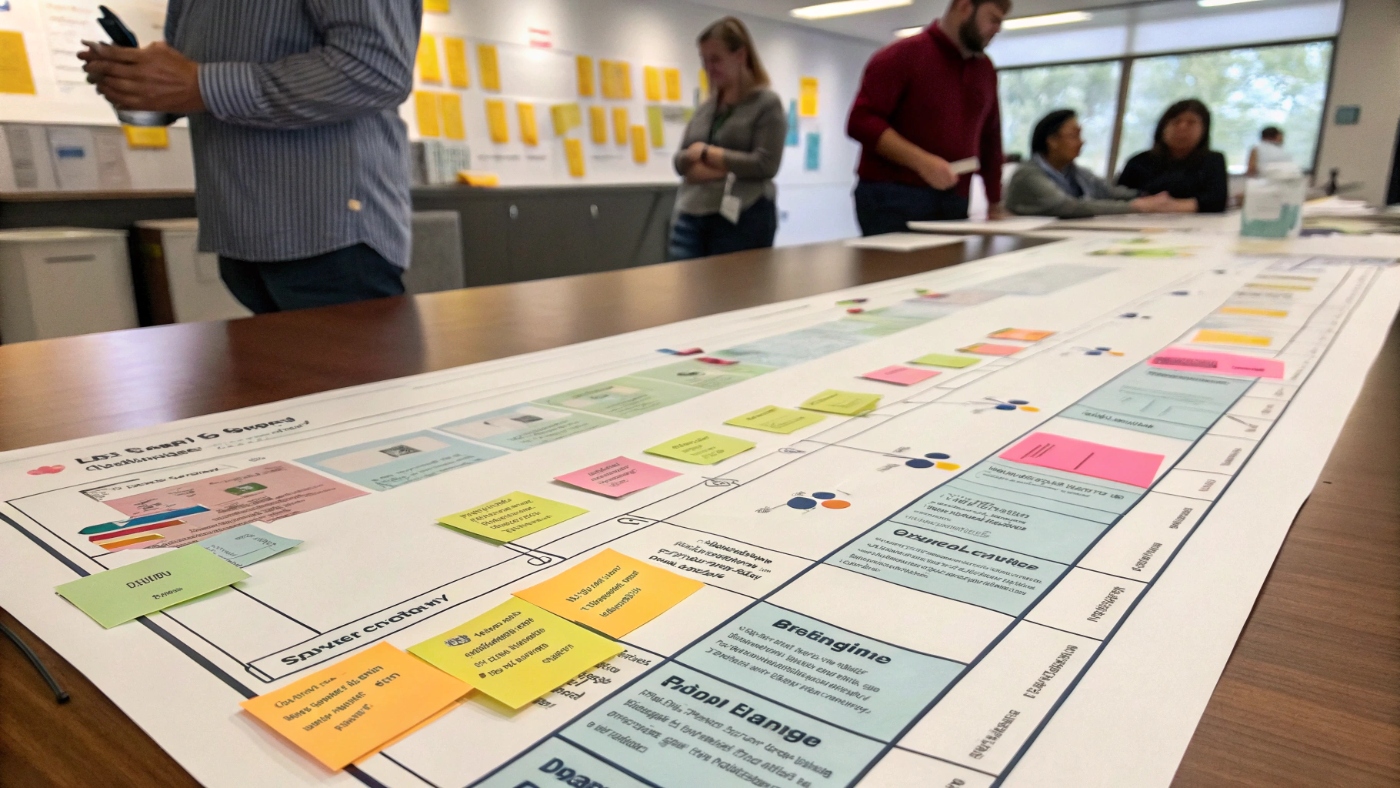
Use an online tool or sticky notes to draw your User Journey Map. Mark emotions, steps, and challenges with colors and emojis, it makes things easier to understand.
Step 7: Validate with Real Feedback
Show your map to real users or teammates. Ask if it feels accurate. Test it live, your best insights often come from seeing how real people behave.
Pro tips:
- Keep it simple. Don’t overcomplicate the visuals.
- Revisit your map regularly, it changes as products and users evolve.
- Mix data (hard facts) with empathy (human feelings) for best results.
Conclusion
Mapping your customer’s journey opens a world of understanding. A User Journey Map helps you see the big picture, what your customers want, where they struggle, and how you can make them smile.
Every business, small or large, can use journey mapping to deliver smoother, kinder experiences. It’s one of the smartest tools for increasing satisfaction and conversions.
So, don’t wait. Take the first step today. Grab your notebook, talk to your users, and begin drawing your own User Journey Map. The insights you find may change your entire strategy.
If you’re excited to learn more about UX, strategy, and design, explore our other helpful guides. You can check out training programs such as General Assembly Bootcamp, Designlab UX Academy, Interaction Design Foundation, or springboard UX bootcamp to sharpen your skills.
Need extra support? Our blog also covers expert topics like how to hire the right ux agency, the latest UX AI Tools, and tips for choosing the best ux design services for your brand. You can also learn about ux audit services to spot usability issues, and discover helpful ux testing services and ux testing tools to refine your products further.
Empower your team, delight your customers, and start building your User Journey Map today, because better journeys lead to better results for everyone.